Tired of asking a thousand times to clean the room?
With Tarefas Kids every chore becomes a mission: your child sees it, does it and proves it with a photo. The phone only unlocks afterwards. No fights, no arguing.
Cancel anytime · Under-18s only · Data stored in Brazil
Available for Android · iOS in development
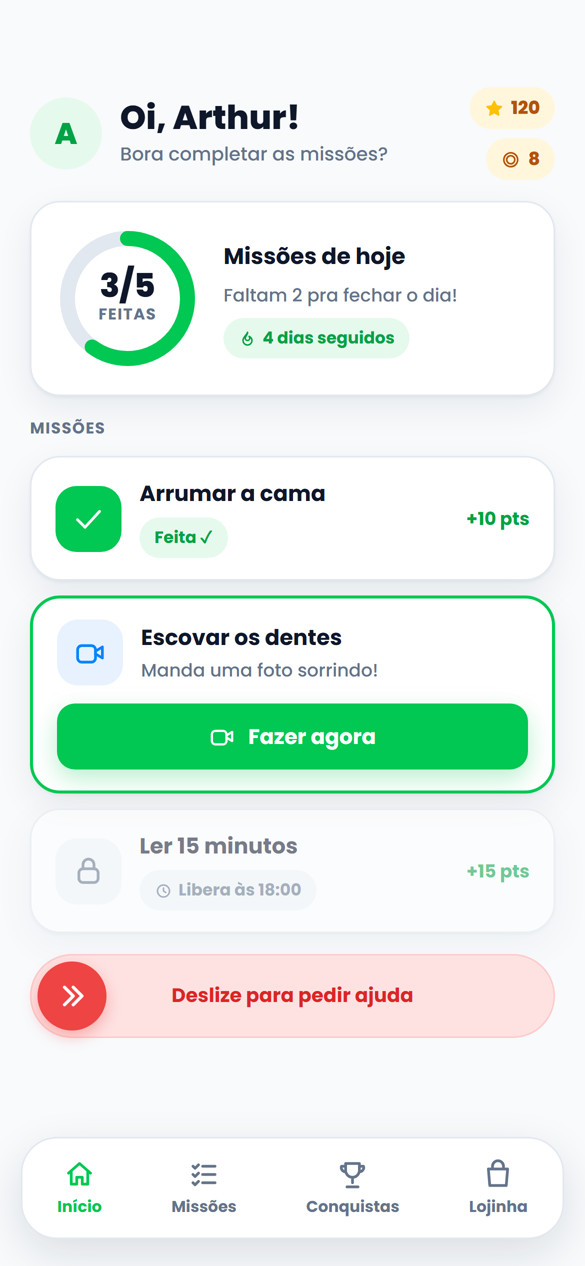
Make the bed ✅
Brush teeth ⭐
Put toys away 🧸
All of it in one app
47 seconds that sum up what changes at home.
Every home knows this fight
The daily war
Asking, repeating, shouting, threatening to take the phone. Same scene every day and everyone ends up exhausted.
The silent fear
A video that pops up on its own, a stranger in the DMs, content that is not for their age. You cannot read everything.
The guilt nobody talks about
Handing over the phone for an hour of peace and blaming yourself later. You are not a bad parent. You just lack a tool.
Missions
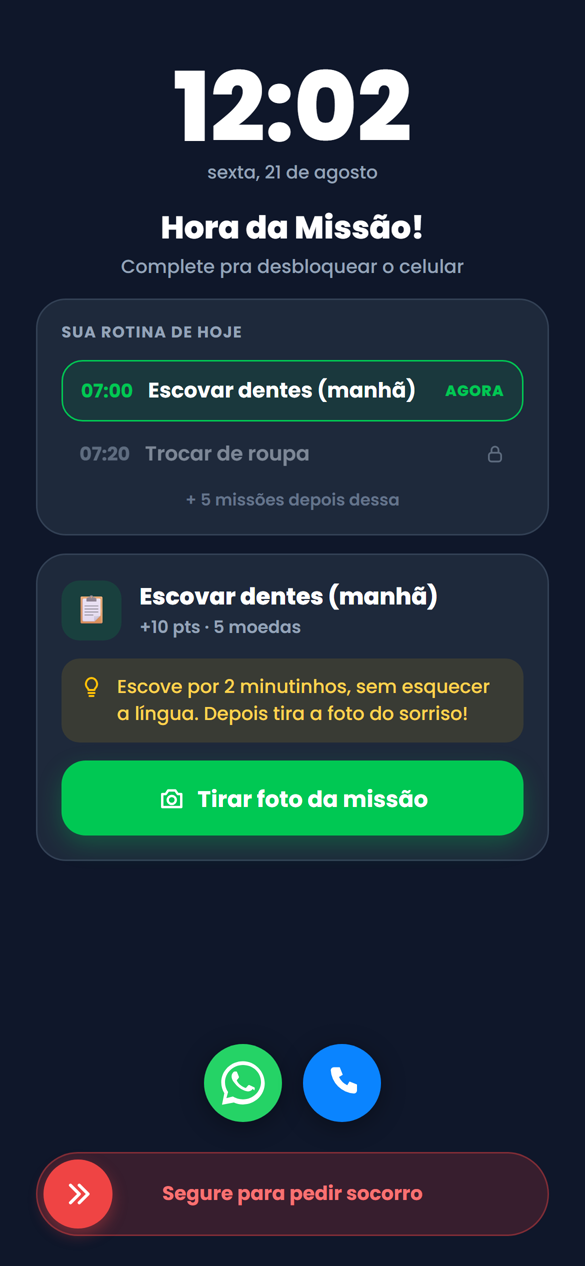
The phone only unlocks after the mission.
Tarefas Kids flips the game: the device locks itself until the day's routine is done. Bed made, teeth brushed, homework finished, proven by photo and checked by artificial intelligence. Done, unlocked, points earned.
Photo as proofAI validatesUnlocks by itselfPoints become rewards
You see what is happening right now. And only children get into the app.
Live
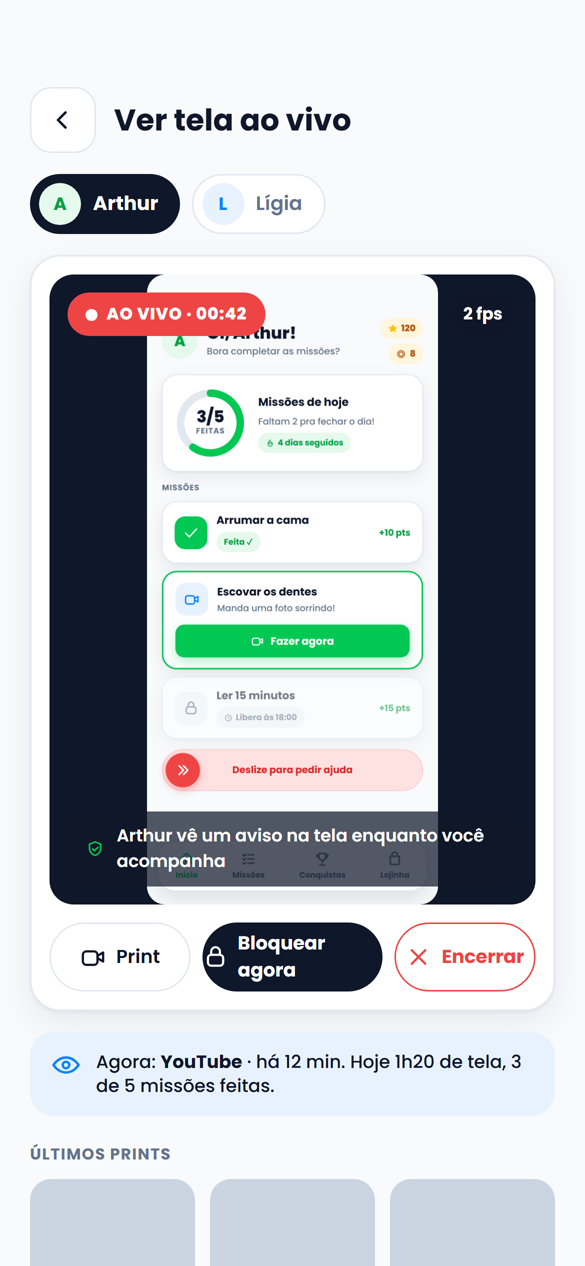
Watch the screen live
They say they are studying. With one tap you see the device screen live, from your phone. Take a screenshot or lock it on the spot. And they know they are being monitored.
● Live
Child validation
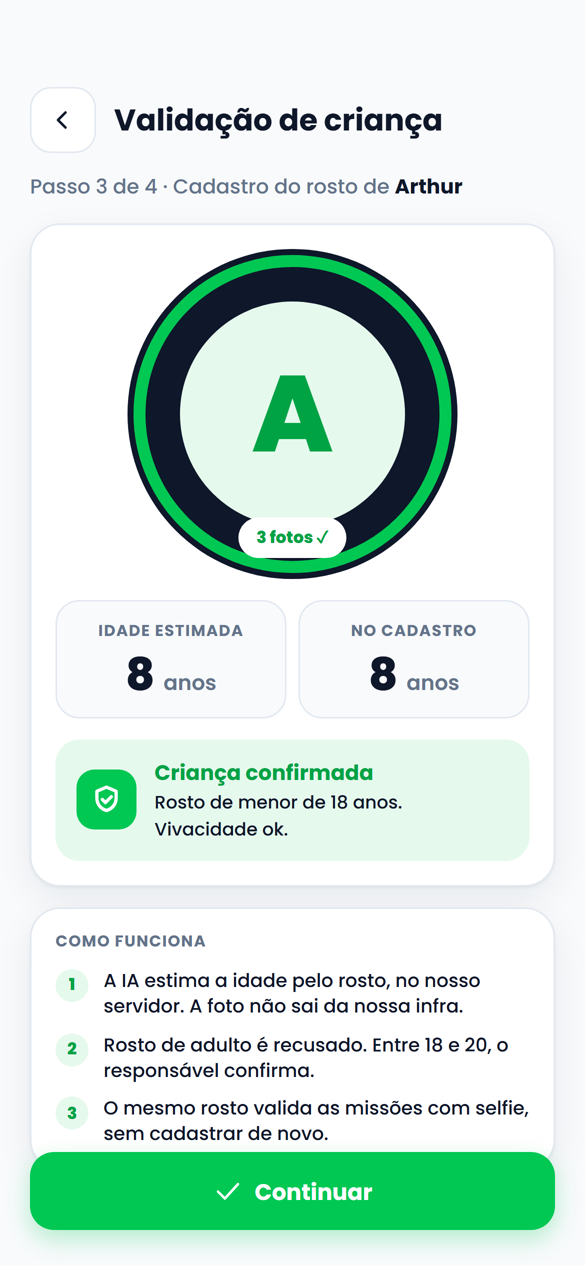
Only children get in: the AI validates by face
When the face is enrolled, the AI estimates the age from the face. An adult face is refused. Between 18 and 20, the guardian confirms. All on our own servers, nothing leaves our infrastructure.
Together with the mandatory date of birth: Tarefas Kids does not monitor adults.
8 years old
And there is much more
21 features, one subscription. The ones parents use most:
Watch the screen live
They say they are studying. You see the device screen live, from your phone. Screenshot or lock on the spot.
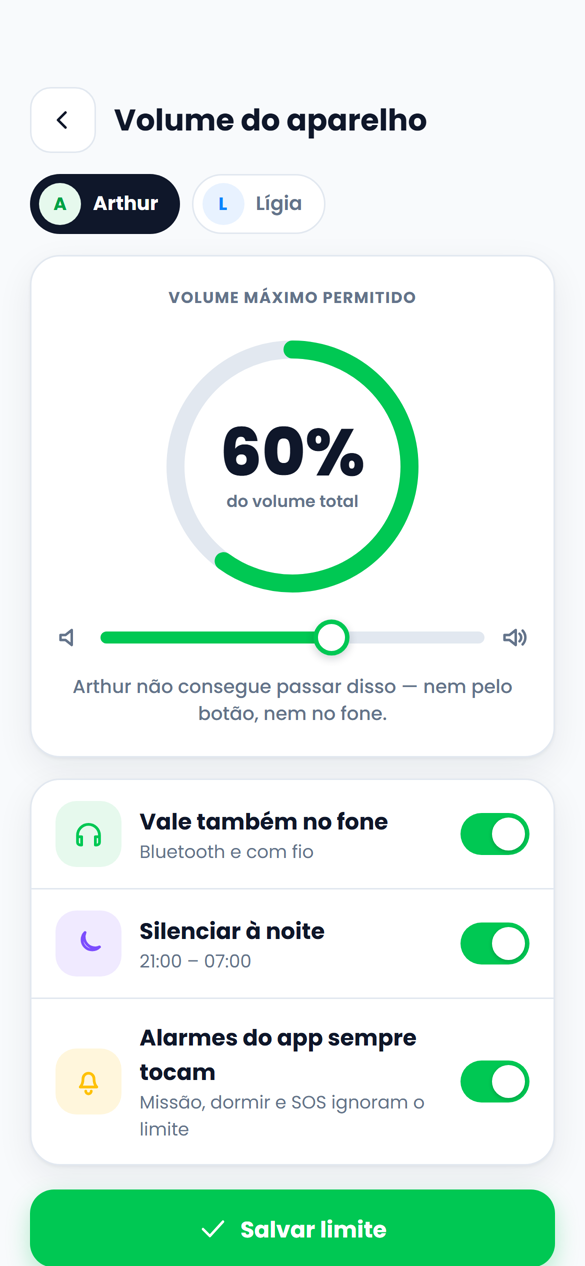
Volume limit
You set the device's maximum volume. They cannot go past it, not with the button, not with headphones.
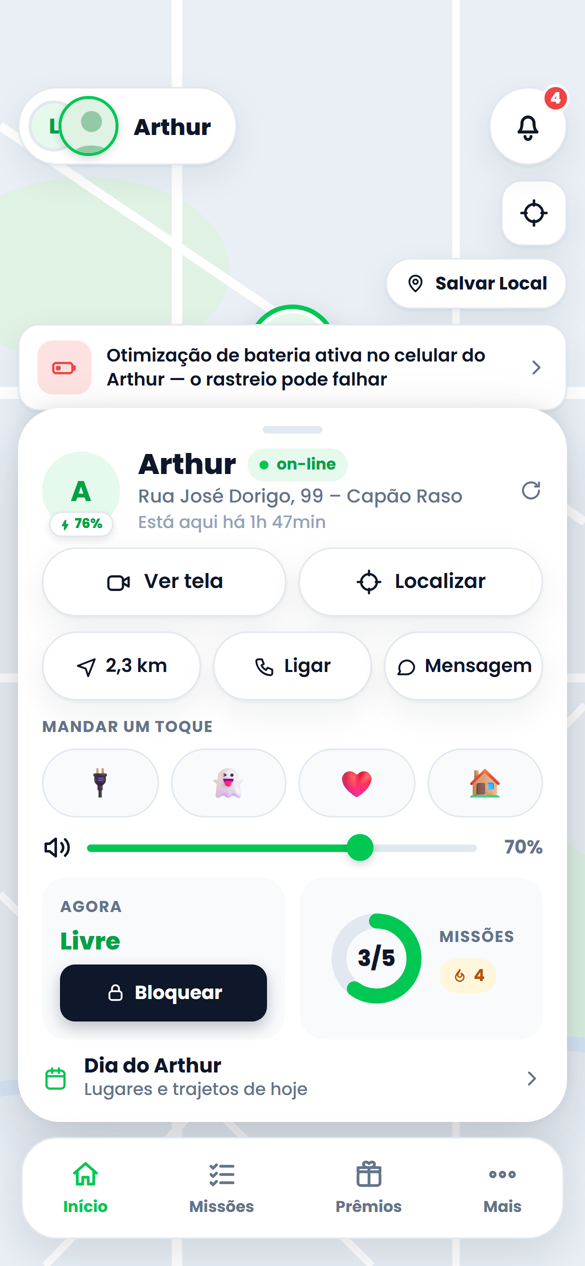
Where they are, right now
Real-time location and an alert when they arrive at or leave school, home or grandma's.
Pause the internet
Dinner time? One tap and the internet pauses. The emergency phone stays available.
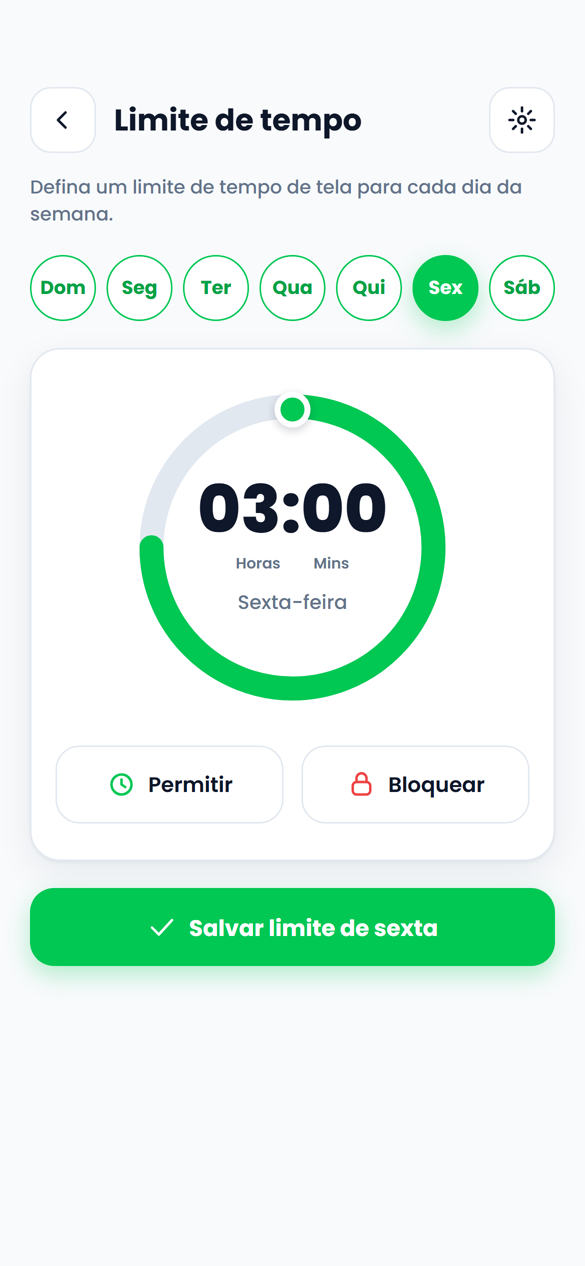
Screen-time limit
A limit for each day of the week. Time is up, the app warns and locks. Completed missions earn extra minutes.
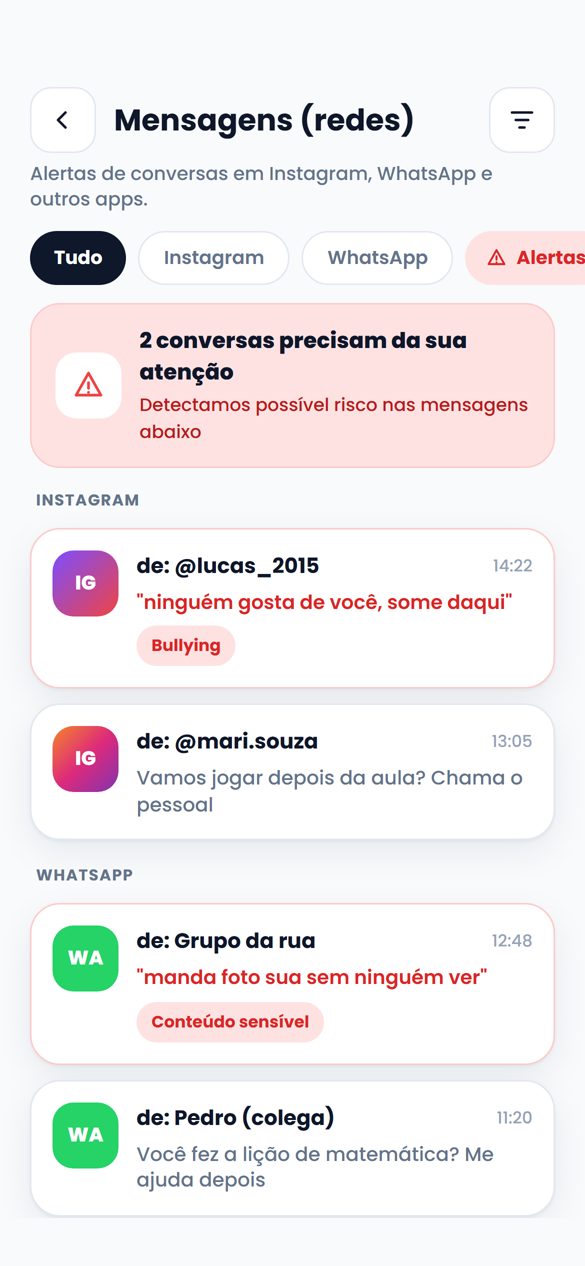
AI bullying alerts
The AI follows Instagram and WhatsApp and only alerts you when bullying, sensitive content or risk shows up.
YouTube control
See what they watched, for how long, and block what is off-topic.
Automatic routines
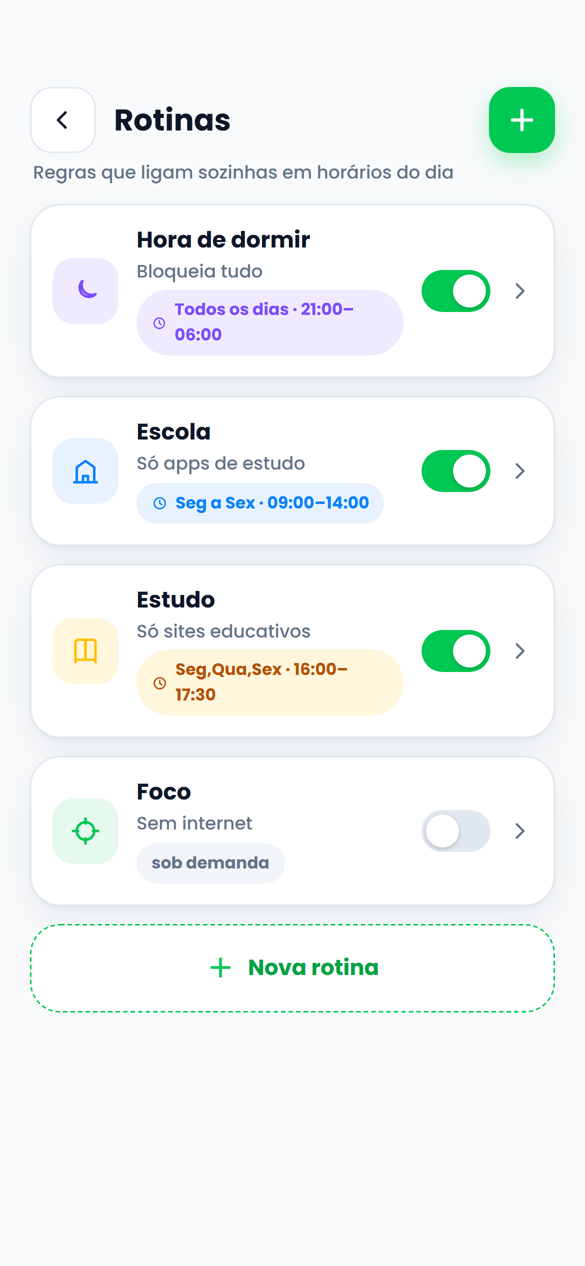
Bedtime, school, study. The rule turns on by itself and you stop being the villain every night.
SOS on the lock screen
Hold for 3 seconds and you get the alert with the location. Works without internet.
Block games and apps
Allow, block or limit by category: games, social media, entertainment, education.
Real rewards
Points and coins become rewards in the Shop: video games, dessert, an outing. They redeem, you approve.
ADHD and Calm modes
Presets for kids who need more focus and less stimulation. Fewer animations, more clarity.
Child face validation
When the face is enrolled, the AI estimates the age from the face and only accepts children and teens. An adult face does not pass.
Also: day timeline, remote camera and ambient sound, calls and SMS, image detection, WhatsApp reports, multiple guardians.
Take a closer look
Tap a screen to enlarge it.
Watch screen live
Child validation
Device volume
Where they are
Message alerts
Time limit
Routines
How it works
Five minutes to set up. The app does the rest.
Create your account
7 days free, no card in the first week. Cancel anytime.
Install it on your child's phone
Android only for now (iOS in development). Up to Android 12 it is a QR code and done. On newer Android, a simple one-time step-by-step over USB cable.
Set up the day's missions
Make the bed, brush teeth, homework, reading. Say which ones need a photo.
Approve with one tap
The photo arrives and the AI checks it on its own. You only need to look if the AI cannot validate it in 3 attempts. Points become rewards and the daily streak does the rest.
No invisible mode.
The child knows the device is monitored. Real transparency, protected data.
Agreed from the start
During installation the child and the guardian agree to and consent to the monitoring. Nothing is installed in secret.
Children and teens only
Registration requires a date of birth and only accepts under-18s. Tarefas Kids does not monitor adults.
Data in Brazil, encrypted
Photos, location and alerts travel encrypted and stay on our own servers. LGPD compliant.
Delete whenever you want
Deleting the account erases everything and releases the child's device, without locking anything.
7 days free to try everything
Everything included in every plan. No per-child fee.
For now the child's app is Android only; the iOS version is in development. The guardian's dashboard works on any phone, in the app or in the browser. Installation: up to Android 12 it is a QR code; on newer Android it is a simple one-time step-by-step over USB cable.
Can my child uninstall it?
No. The app is installed as the device owner: it cannot be uninstalled or turned off and it survives a reboot. Only the guardian releases it.
What if they need to call me while the phone is locked?
Calling you and the SOS button are always available, even without internet. Locking never locks safety.
Isn't this spying?
No. There is no invisible mode: the child knows the device is monitored. We always recommend agreeing on the rules together. It is parental control, not hidden surveillance.
How many children can I register?
As many as you want, on the same plan. And you can invite another guardian to follow along.
How do I cancel?
In the dashboard, under Account, at any time. Cancelled means no more charges. Deleting the account erases the data and releases the child's device.
Prefer to talk to us first?
Leave your WhatsApp and we will reach out to answer your questions. No spam.
By submitting, you agree to the Privacy Policy. We use your contact only to talk about the beta.
Turn chores into achievements
Seven days free. Then the Founder plan for R$ 19.90/month.